1. Mac Slow After Sleep? You’re Not the Only One 😴
Does your Mac feel slow after sleep? You open the lid, but everything takes longer to load—Finder delays, slow app switching, fans spinning up. It’s not just your imagination. Post-sleep slowness is real, and it affects both new and older Macs. The good news? It’s fixable.
2. Why Does macOS Slow Down After Sleep?
When your Mac goes to sleep, the system suspends apps, freezes memory states, and powers down hardware components. On wake, it has to reactivate those elements quickly. But sometimes, background apps and system processes all try to “wake up” at once—overloading CPU and memory temporarily.

3. Common Reasons Your Mac Is Slow After Sleep
- iCloud or Dropbox sync resumes in the background
- Spotlight reindexing kicks in
- Multiple apps restore their last session simultaneously
- Apps like Slack, Chrome or Photos drain CPU instantly
All of these can contribute to the Mac slow after sleep experience—especially if you’re on battery power.
5. Other Ways to Improve Wake-Up Speed
- Limit open apps before putting your Mac to sleep
- Use Safari instead of Chrome (less aggressive at wake)
- Close unnecessary background services
- Turn off automatic sync during sleep (in System Settings)
Apple’s Recommendations for Sleep Optimization
Apple provides tips for energy efficiency and sleep here: Apple: macOS sleep and battery guide
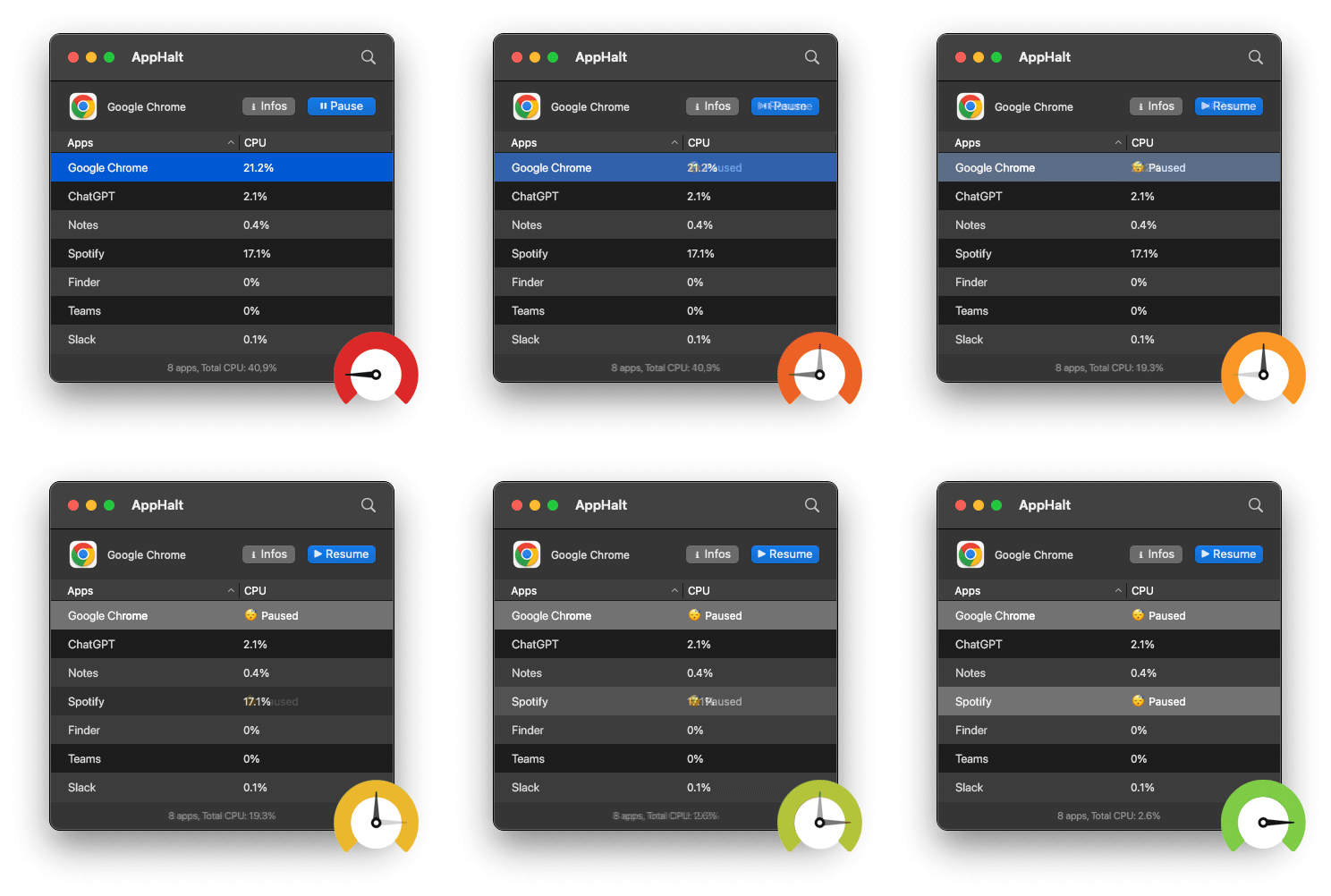
- ✅ Pause background apps before closing your Mac
- ✅ Reduce lag and CPU spikes at wake
- ✅ Enjoy smooth, fast resume—even after long sleeps
Where AppHalt may help
If Activity Monitor shows a regular app you recognise using resources while you do not need it, AppHalt gives you a reversible option: pause that selected app without quitting it, then resume it later. AppHalt does not repair macOS or guarantee a speed, temperature, battery, or stability result; the effect depends on what the app was doing.
Do not pause an app that is uploading, syncing, backing up, rendering, recording, playing media, or handling a call you need to continue.