
1. Mac Lags When Connecting AirPods? That’s Not Normal 🎧
If your Mac lags when connecting AirPods, you’re not the only one. Many users report a few seconds of freezing, audio desynchronization, or UI stutters right when the AirPods connect. This happens especially when multitasking—or when the Mac is already under load.
2. What Causes Lag When Connecting AirPods?
When your AirPods connect to your Mac, macOS must:
- Activate Bluetooth protocols
- Switch audio output system-wide
- Adjust volume and microphone routing
- Wake background services (like Siri, Handoff, and Input monitoring)
If your Mac is already busy with Chrome tabs, a Teams call, or other apps, this can cause **noticeable lag or a full UI freeze**.

4. Bonus Tips to Avoid Bluetooth Lag
- Keep only one Bluetooth device connected at a time
- Close heavy apps before connecting your AirPods
- Turn off auto-switching in AirPods settings if unstable
- Update macOS and your AirPods firmware
Apple’s Official Bluetooth Troubleshooting
Check Apple’s page: If your Bluetooth devices won’t connect – Apple Support
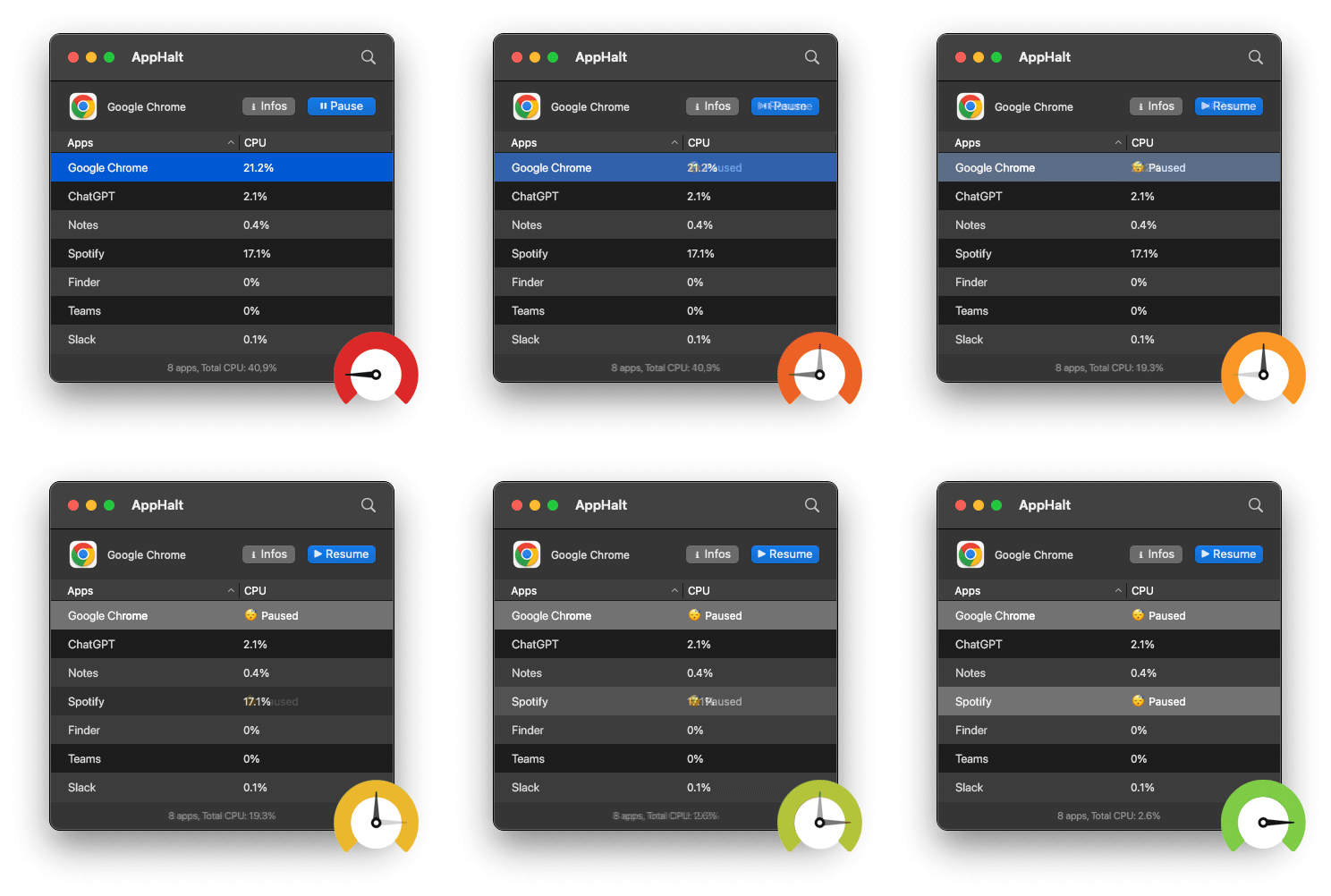
- ✅ Pause heavy background apps before pairing
- ✅ Eliminate UI freeze and audio cutoffs
- ✅ Keep sound switch fast and seamless
Where AppHalt may help
If Activity Monitor shows a regular app you recognise using resources while you do not need it, AppHalt gives you a reversible option: pause that selected app without quitting it, then resume it later. AppHalt does not repair macOS or guarantee a speed, temperature, battery, or stability result; the effect depends on what the app was doing.
Do not pause an app that is uploading, syncing, backing up, rendering, recording, playing media, or handling a call you need to continue.