1. Mac Takes Forever to Shut Down? You’re Not Alone ⏳
If your Mac takes forever to shut down, you’ve probably sat staring at a frozen screen, wondering if it’s safe to force power off. The truth is, macOS tries to close everything cleanly—but some apps and processes don’t cooperate.
This delay isn’t normal—and thankfully, it’s fixable.
2. Why Is Shutdown Taking So Long?
macOS goes through several steps when shutting down:
- Saves open app sessions
- Asks background processes to quit
- Flushes memory and closes system files
If one app refuses to quit—or is still doing something in the background—your Mac takes forever to shut down because it’s waiting.

3. Common Culprits That Delay Shutdown
- Chrome and its many helper processes
- Dropbox or iCloud syncs in progress
- Photos app indexing or uploading
- Virtual machines (like Parallels or Docker)
Check which apps are open before clicking “Shut Down.” But there’s a better way…

5. Additional Tips for a Quick Shutdown
- Don’t leave too many apps open at once
- Close apps with unsaved changes before shutdown
- Turn off auto-restore of windows (System Settings → General → Desktop & Dock)
- Use “Restart” regularly to keep your system clean
Still Struggling? Apple’s Advice on Safe Shutdown
Apple covers safe shutdown practices here: Shut Down or Restart Your Mac – Apple Support
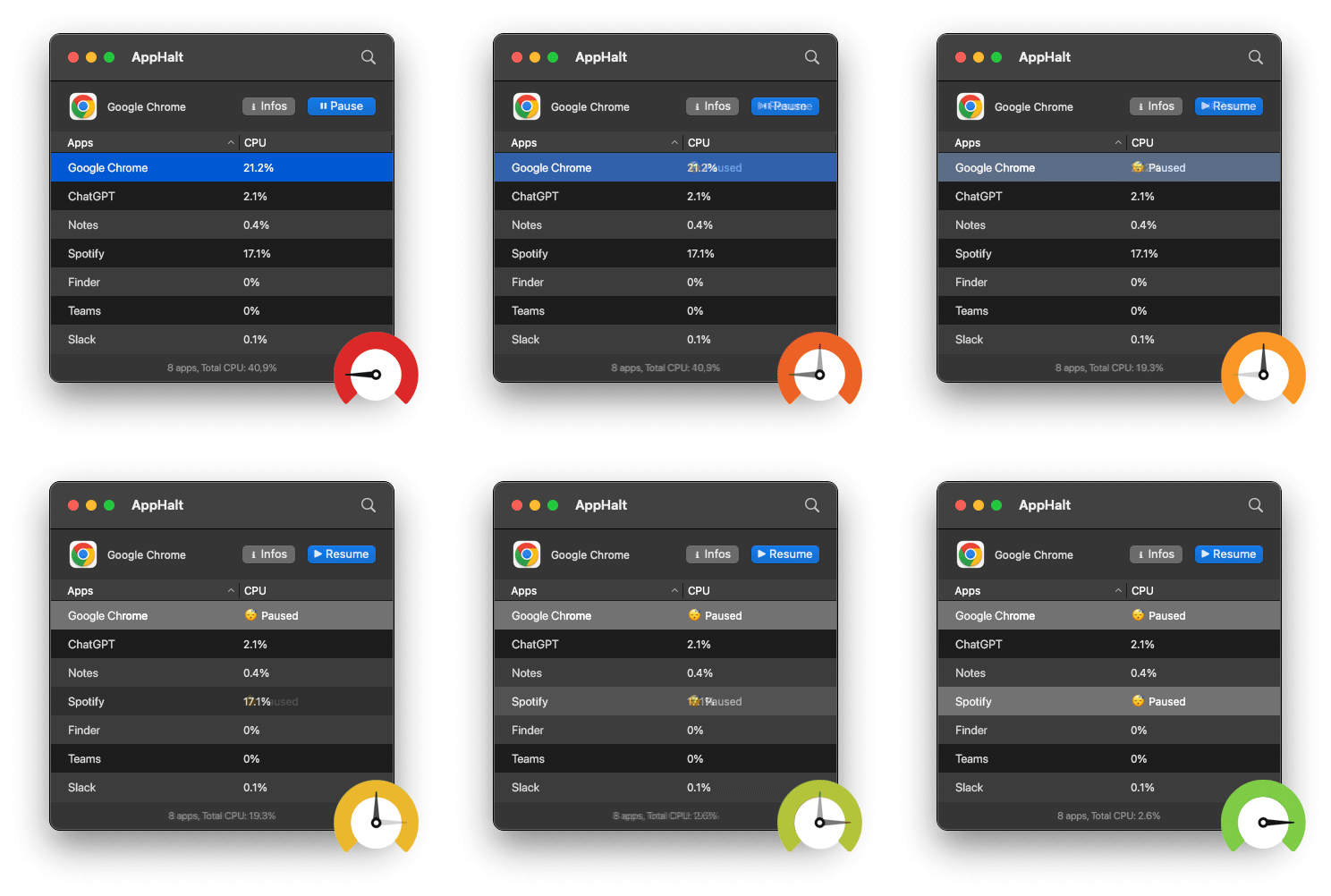
- ✅ Pause apps safely before closing your Mac
- ✅ Avoid slow shutdowns caused by sync or CPU hangups
- ✅ Enjoy a smoother, faster end to your workday
Where AppHalt may help
If Activity Monitor shows a regular app you recognise using resources while you do not need it, AppHalt gives you a reversible option: pause that selected app without quitting it, then resume it later. AppHalt does not repair macOS or guarantee a speed, temperature, battery, or stability result; the effect depends on what the app was doing.
Do not pause an app that is uploading, syncing, backing up, rendering, recording, playing media, or handling a call you need to continue.