1. Mac Slow After Installing New App? Here’s Why ⚠️
If your Mac is slow after installing a new app, especially something like a video editor, music tool, or productivity suite—you’re not imagining things. Some apps don’t just install… they also launch background processes, daemons, or menu bar tools that keep running even when you don’t open them.
And that’s what drags your Mac’s performance down.
2. What Happens Behind the Scenes After an Installation?
Many apps add the following during or after install:
- Login items (auto-launch at startup)
- Helper processes (running in background)
- Syncing services (iCloud, Creative Cloud, Dropbox…)
- Launch agents (in
~/Library/LaunchAgents)
That’s why your Mac gets slow after installing a new app—it’s still reacting to all the “invisible” things that app added.
3. How to Spot the Problem Quickly
- Open Activity Monitor → sort by CPU or Memory
- Look for anything related to the new app (e.g., Adobe, Zoom, Dropbox…)
- Check System Settings → Login Items for auto-launch apps

5. Other Steps to Clean Up After an Install
- Manually remove login items for new apps
- Use a tool like AppCleaner to remove hidden files
- Restart your Mac to clear temporary caches
- Monitor RAM usage for 24h after installation
Need Guidance? Apple’s Startup Help Can Assist
Apple explains how to manage login apps here: Open items automatically with your Mac – Apple Support
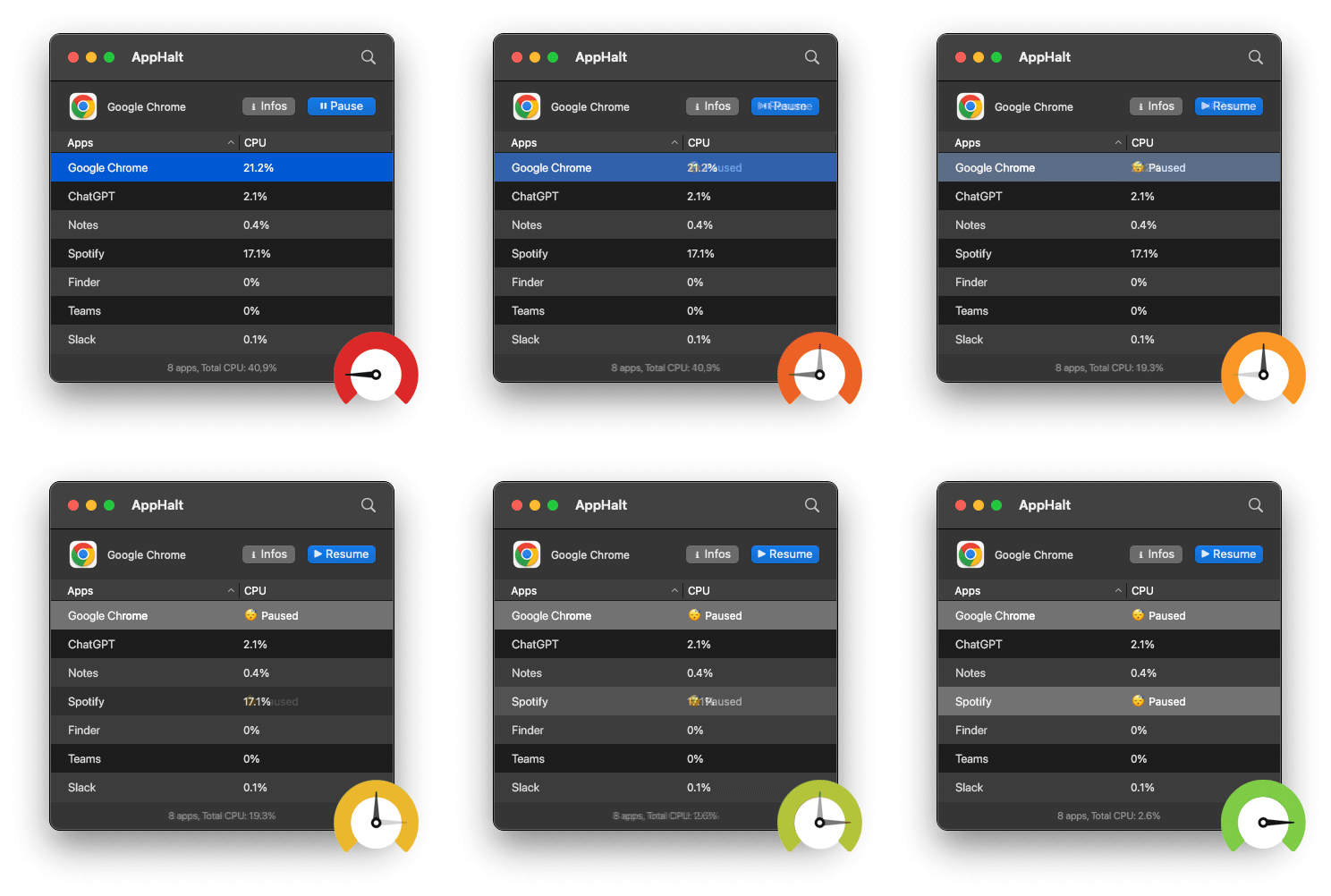
- ✅ Pause heavy background processes installed with new apps
- ✅ Free up CPU and memory immediately
- ✅ Regain smooth performance in seconds
Where AppHalt may help
If Activity Monitor shows a regular app you recognise using resources while you do not need it, AppHalt gives you a reversible option: pause that selected app without quitting it, then resume it later. AppHalt does not repair macOS or guarantee a speed, temperature, battery, or stability result; the effect depends on what the app was doing.
Do not pause an app that is uploading, syncing, backing up, rendering, recording, playing media, or handling a call you need to continue.