
1. Mac Lag When Typing? Let’s Make It Snappy Again ⌨️
If your Mac lags when typing, whether in Notes, Safari, Chrome, or Word—it’s not just annoying, it breaks your focus. Input delay is one of the most frustrating slowdowns, especially when everything else seems to “look” fine.
This lag often comes from hidden CPU strain or memory overload, and the fix is easier than you think.
2. Why Does Typing Lag on macOS?
Typing lag is usually a symptom—not the cause. When your Mac is under pressure from background apps, animations, or high memory usage, it starts delaying UI responses—including keystrokes. You’ll notice it most in apps like:
- Google Docs (in Chrome)
- Microsoft Word or Outlook
- Notes and Spotlight
- Even Safari search bars

3. What Causes the Lag Behind the Scenes?
- Too many apps open at once
- Background processes syncing or updating
- Low available RAM or swap memory overload
- Rendering effects or animations interfering with input
That’s why you often see Mac lag when typing just after waking, after updates, or when battery is low.
It’s perfect for students, writers, developers, or anyone who lives in their keyboard.

5. Additional Tips to Boost Typing Responsiveness
- Switch from Chrome to Safari for better UI sync
- Restart your Mac weekly to free memory
- Turn off motion effects (System Settings → Accessibility → Reduce Motion)
- Keep open apps and browser tabs to a minimum
Apple’s Advice on System Performance
Check Apple’s help guide: Improving Mac performance – Apple Support
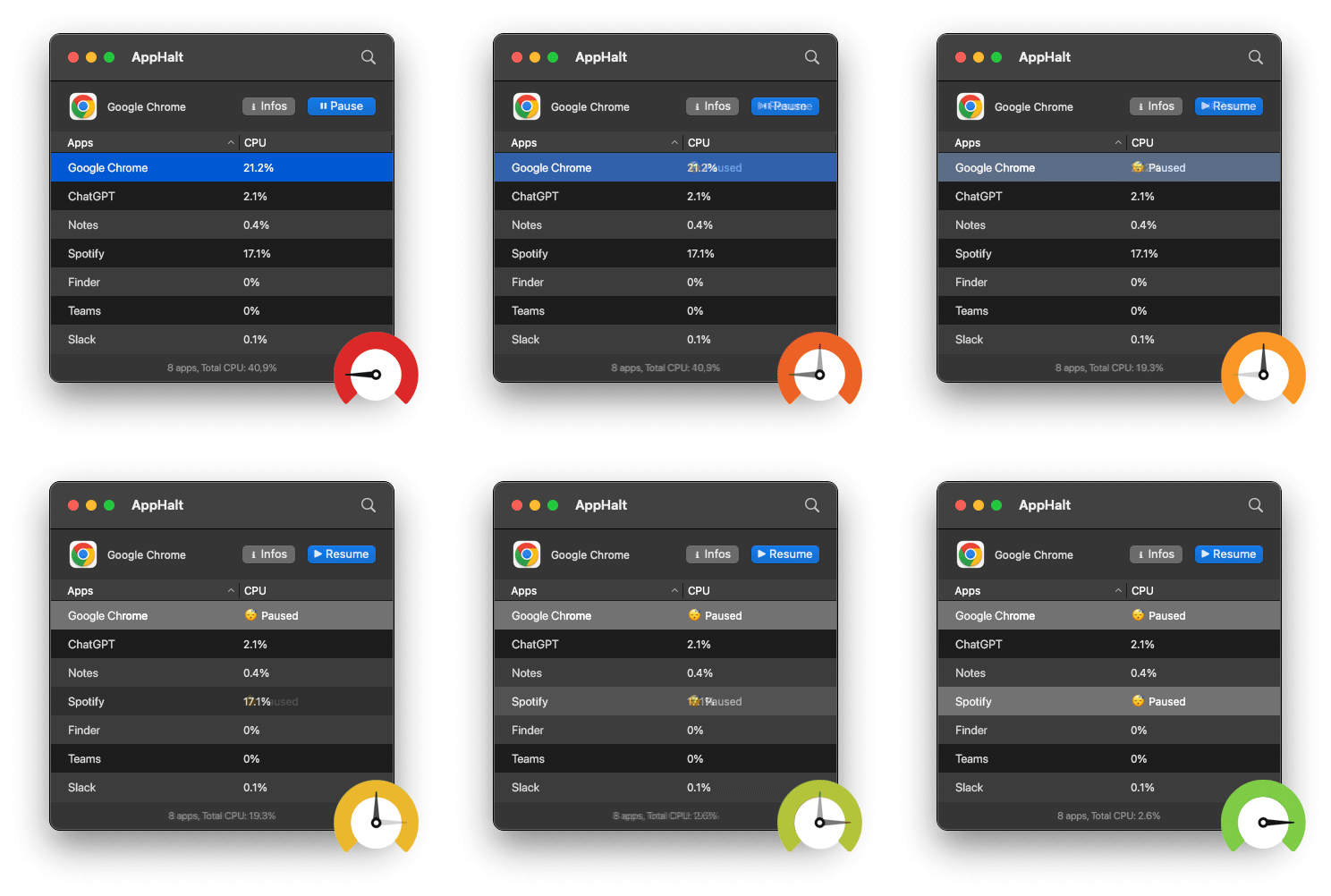
- ✅ Eliminate input delay caused by background overload
- ✅ Free CPU and RAM in one click
- ✅ Enjoy smooth, fast typing across all apps
Where AppHalt may help
If Activity Monitor shows a regular app you recognise using resources while you do not need it, AppHalt gives you a reversible option: pause that selected app without quitting it, then resume it later. AppHalt does not repair macOS or guarantee a speed, temperature, battery, or stability result; the effect depends on what the app was doing.
Do not pause an app that is uploading, syncing, backing up, rendering, recording, playing media, or handling a call you need to continue.