1. Mac Slow After Login? Here’s Why It Happens 🐢
If your Mac is slow after login, you’re not alone. The system boots, you type your password… and then you wait. Beachballs, fan noise, lag. This happens because macOS is trying to start all your login apps and background processes at once—often overwhelming your CPU and RAM in the first minute.
2. What Happens Right After You Log In
As soon as you log in, macOS:
- Launches your Login Items (apps like Dropbox, Slack, Chrome, etc.)
- Resumes background syncs (iCloud Drive, Photos)
- Runs updates or checks for new content
- Starts up helper tools and background services
It’s no surprise your Mac is slow after login if dozens of processes launch simultaneously.

3. Manage Your Login Items to Improve Boot Speed
Go to System Settings → General → Login Items and remove anything you don’t need to launch at startup. Every app you remove from this list gives your Mac more breathing room just after login.
5. Extra Tips for Faster Login
- Don’t keep too many windows open when you shut down
- Use Safari instead of Chrome for lighter resource load
- Restart your Mac once a week to flush system junk
- Update your macOS and apps regularly
Apple’s Official Startup Speed Advice
Apple gives more guidance here: macOS Startup Tips – Apple Support
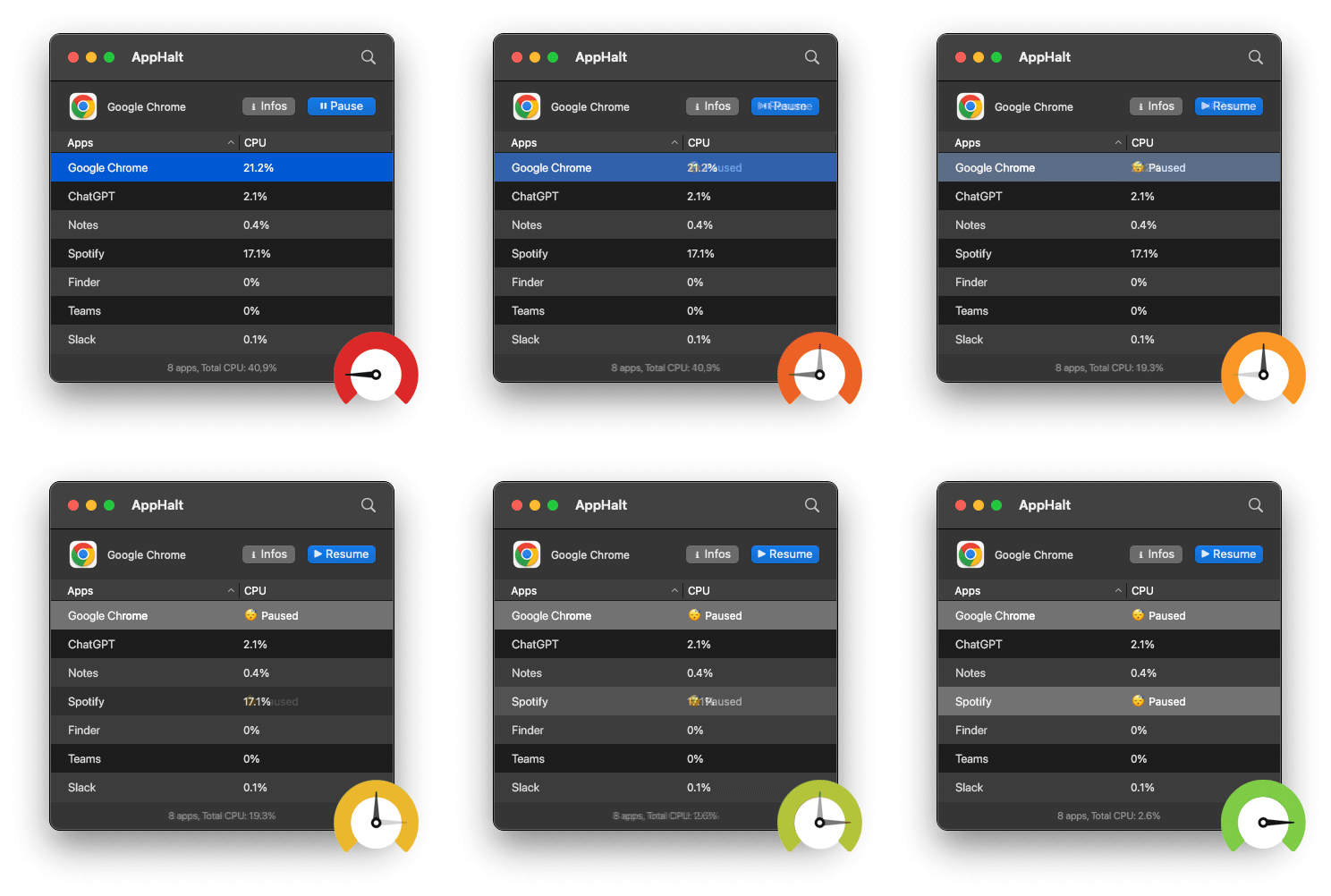
- ✅ Pause heavy apps auto-launched at startup
- ✅ Reduce CPU overload and system lag instantly
- ✅ Make every boot faster and smoother
Where AppHalt may help
If Activity Monitor shows a regular app you recognise using resources while you do not need it, AppHalt gives you a reversible option: pause that selected app without quitting it, then resume it later. AppHalt does not repair macOS or guarantee a speed, temperature, battery, or stability result; the effect depends on what the app was doing.
Do not pause an app that is uploading, syncing, backing up, rendering, recording, playing media, or handling a call you need to continue.