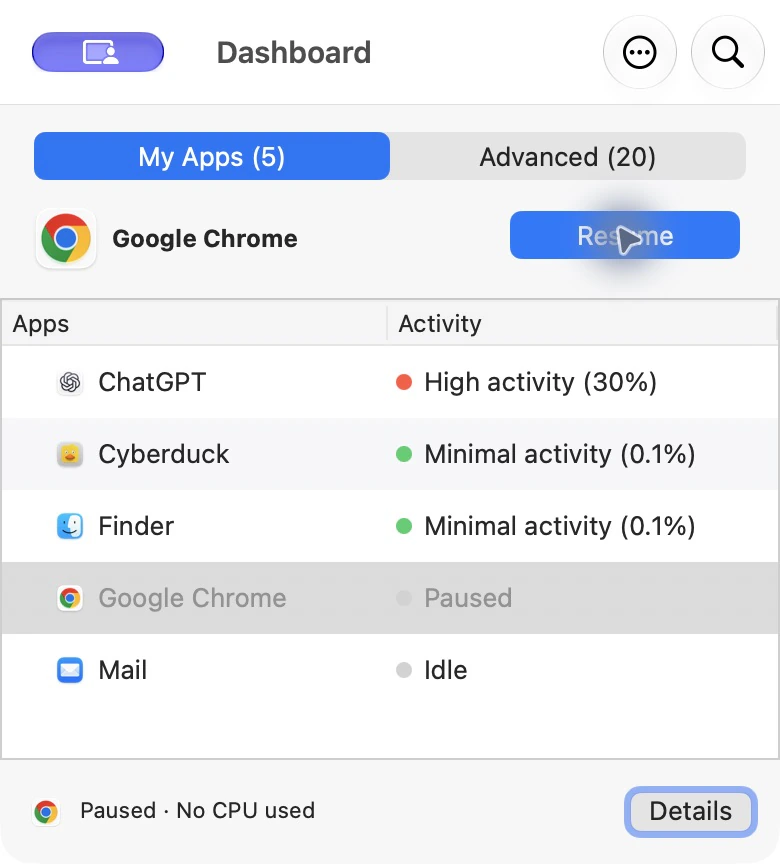
CPU work can stop while paused.
The selected app cannot continue normal computation until it resumes. The actual system-wide effect depends on what that app was doing.
Technical reference · reviewed 26 September 2026
AppHalt provides a temporary middle state between leaving an app active and quitting it. It asks macOS to suspend the selected app’s work, keeps the app present, and lets the user resume it later.
This page states limits deliberately. AppHalt does not promise a fixed speed or battery gain.
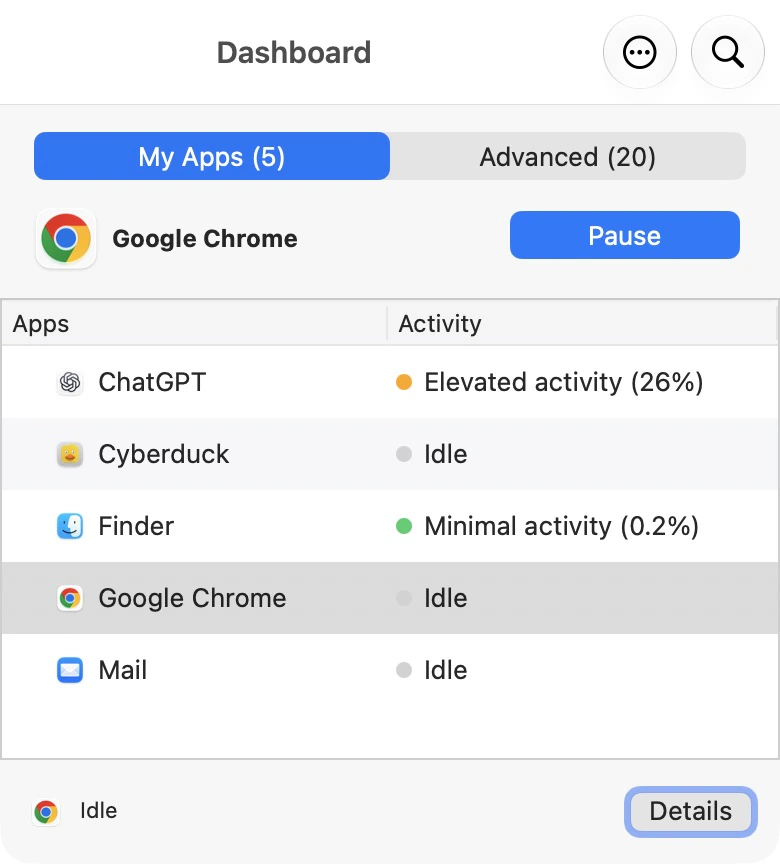
Direct answer
CPU work can stop while paused.
The selected app cannot continue normal computation until it resumes. The actual system-wide effect depends on what that app was doing.
Memory is not automatically freed.
The app remains open, so its memory may remain allocated. Pausing is not a RAM cleaner and unused RAM is not itself a problem.
Live operations wait.
Sync, downloads, calls, rendering, notifications, builds and playback may stop or lose their session while the app is paused.
Pause and resume sequence
It presents applications the user can consider managing and avoids turning the interface into an unrestricted system-process controller.
The user should save work and confirm that no required upload, backup, call, export or other live operation is underway.
The app stays open, but paused execution cannot make normal progress. Its windows and in-memory state generally remain available.
Execution continues. Some network services may reconnect or refresh because remote sessions can time out while the app is paused.
Pause, quit or force quit?
Best for: a healthy app you want to keep open but do not need right now.
Trade-off: state stays available, but live work stops and memory generally remains allocated.
Best for: finishing with an app, freeing its resources, applying an update or restarting its normal lifecycle.
Trade-off: the app closes; whether windows return depends on the app and macOS settings.
Best for: an app that is unresponsive and cannot quit normally.
Trade-off: unsaved changes can be lost. Pausing does not repair a frozen application.
Terms that are often confused
Limits
Because a paused app can remain in memory, quitting may be more appropriate when the goal is to release the app’s allocation.
Resume, save if possible, then quit or force quit according to Apple’s guidance. A pause does not repair software.
Malware, failing storage, thermal hardware problems, damaged macOS installations and full disks require different diagnosis.
Battery outcome depends on screen brightness, radios, hardware, workload and the activity actually stopped. No fixed gain is promised.
Third-party apps change. Helper processes and network sessions can behave differently across versions.
Do not pause apps responsible for backups, transfers, security, recording, device control or other work that must continue.
Use the same app and workload, observe it in Activity Monitor for a fixed interval, pause only after saving, and compare CPU and Energy Impact over another equal interval. Do not treat a one-second reading as a benchmark. The complete reproducible protocol and empty raw-data template are available in the AppHalt Benchmark Lab.
Primary references
Try the mechanism
AppHalt Free lets you test the workflow on your own Mac before deciding whether it belongs in your routine.
Signed and notarized. macOS 11.7 or later.