1. Mac Gets Hot While Browsing? It Shouldn’t… But It Does 😤
If your Mac gets hot while browsing the web—even with just a few tabs open—it might seem strange. After all, surfing the internet should be a light task, right? Not always. Modern websites are resource-heavy: video autoplay, dynamic content, real-time trackers… all this can push your Mac’s CPU to work overtime.
Let’s break down the causes and show you how to keep things cool while staying online.
2. Why Browsers Heat Up Your Mac
Here’s why your Mac gets hot while browsing:
- Multiple open tabs running JavaScript and video
- Browser extensions running in the background
- Sites using real-time tracking or data syncing
- High RAM and CPU usage from Chrome or Firefox
Even seemingly idle tabs can be power-hungry behind the scenes.

3. Chrome vs Safari: The Heat Battle
Chrome is notorious for using more CPU and memory on macOS than Safari. If you’re using Chrome and your Mac heats up, try switching to Safari for better native optimization. It can reduce your Mac’s heat output by up to 30% during browsing sessions.
4. Reduce Tabs and Background Extensions 🔧
Too many tabs open = too much RAM used. Each tab is a separate process. The same goes for extensions—many run all the time, not just when needed.
Close tabs you don’t need, use a tab manager, and disable unnecessary extensions to keep your Mac cooler while browsing.
5. Use AppHalt to Control Background Activity
If your Mac gets hot while browsing, it may not be your browser alone. Background apps like Dropbox, Slack, Spotify, or editing software still consume CPU while idle. AppHalt lets you pause them with one click, instantly freeing up system resources and reducing heat.

6. Close Animated Tabs, Videos, and Chat Widgets
Sites like Facebook, Reddit, or live support platforms often use real-time animations and media. These may seem harmless but require continuous processing power. Close those tabs if you’re not actively using them, especially on battery.
Looking for Official Tips?
Apple also shares best practices for battery and thermal management here: Apple – Operating Temperatures
🚀 Surf the Web Without Overheating – Thanks to AppHalt
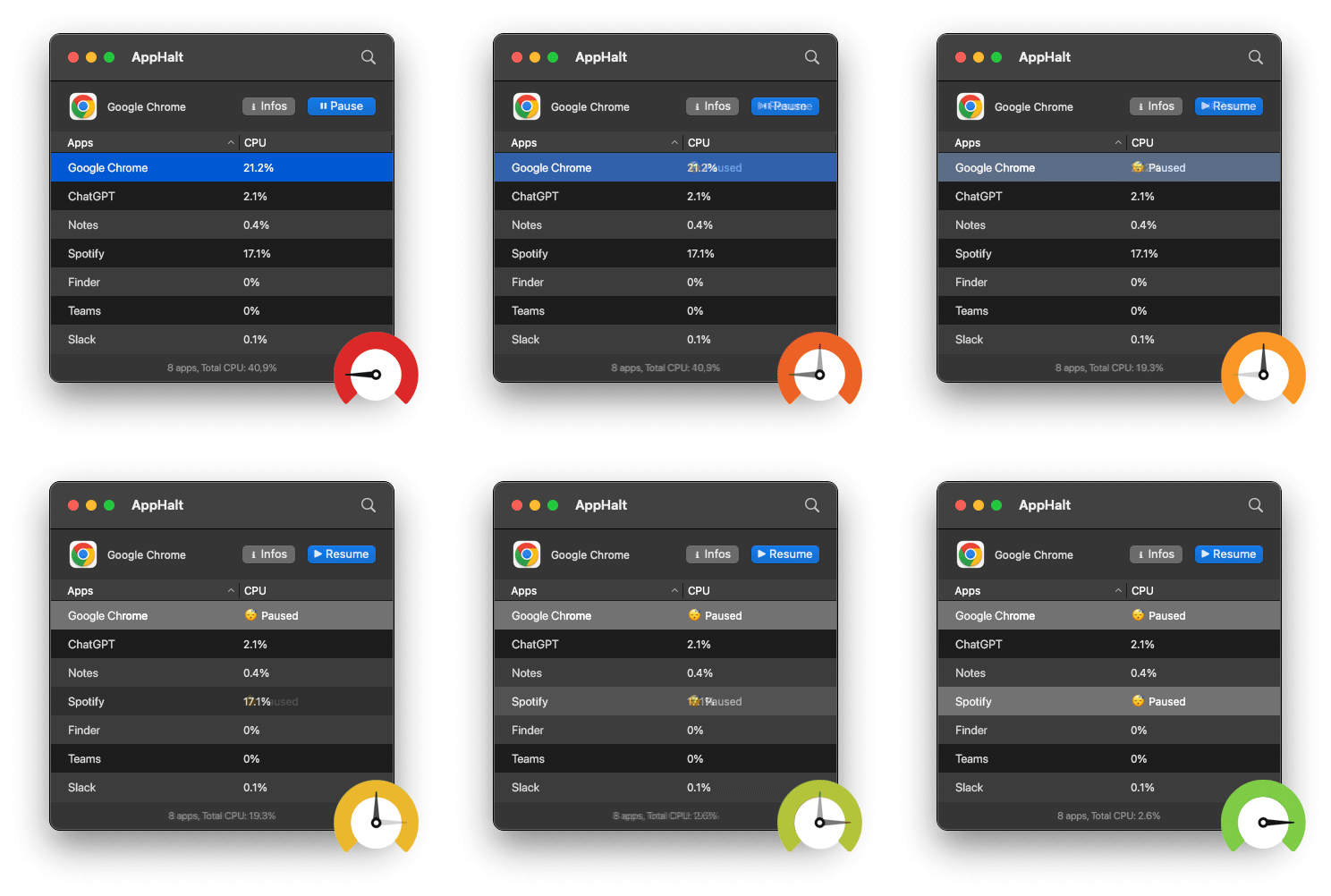
AppHalt lets you browse freely—without background apps sabotaging your Mac’s temperature.
- ✅ Pause non-essential apps while you browse
- ✅ Reduce CPU heat from idle software
- ✅ Focus on the web, not your fan noise
📥 Download AppHalt now and keep your Mac cool—even on your 30th tab.